Buying a monetized YouTube channel requires more than checking subscriber count and sending payment. You need to verify the channel’s current monetization status, ownership, audience, recent views, revenue evidence, content history, transfer method and transaction terms before completing the deal.
AccountsBazaar Blog
How to Buy a Monetized YouTube Channel | Step-by-Step Complete Guide | AccountsBazaar
YOUTUBE MARKETPLACE
YouTube Channels for Sale
Explore currently published YouTube channels. Compare the available details, then open a listing to learn more.
 PINNED
AST 099
MONETIZEDMonetized
RAJ BHAI 100K 99 – YouTube Channel for Sale
YouTubeCategory: Gaming
₹ 24,000
 PINNED
YTS 001
MONETIZEDMonetized
Ground Reality – YouTube Channel for Sale
YouTubeCategory: News & Politics
₹ 28,000
 PINNED
 PINNED
AST 022
LISTINGNot Monetized
News With Laxman – YouTube Channel for Sale
YouTubeCategory: News & Politics
₹ 6,000
 PINNED

AST 025
LISTINGNot Monetized
Headline Forge – YouTube Channel for Sale
YouTubeCategory: News & Politics
₹ 1,299.35

AST 009
LISTINGNot Monetized
Fluxara News – YouTube Channel for Sale
YouTubeCategory: News & Politics
₹ 780

AST 071
LISTINGNot Monetized
LNYK MUSIC – YouTube Channel for Sale
YouTubeCategory: Entertainment
₹ 7,800
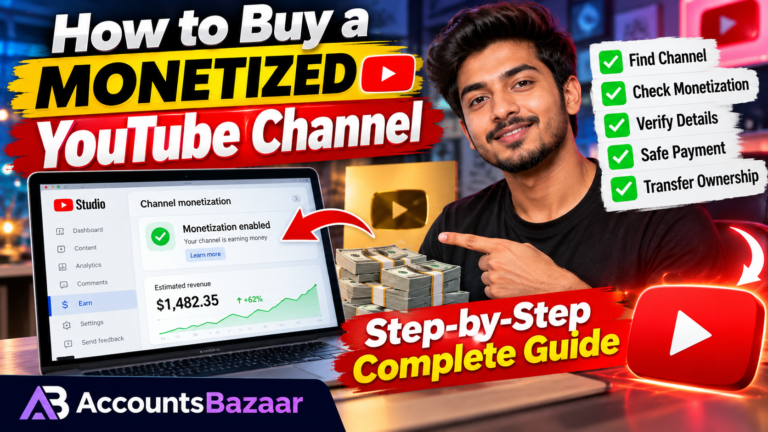
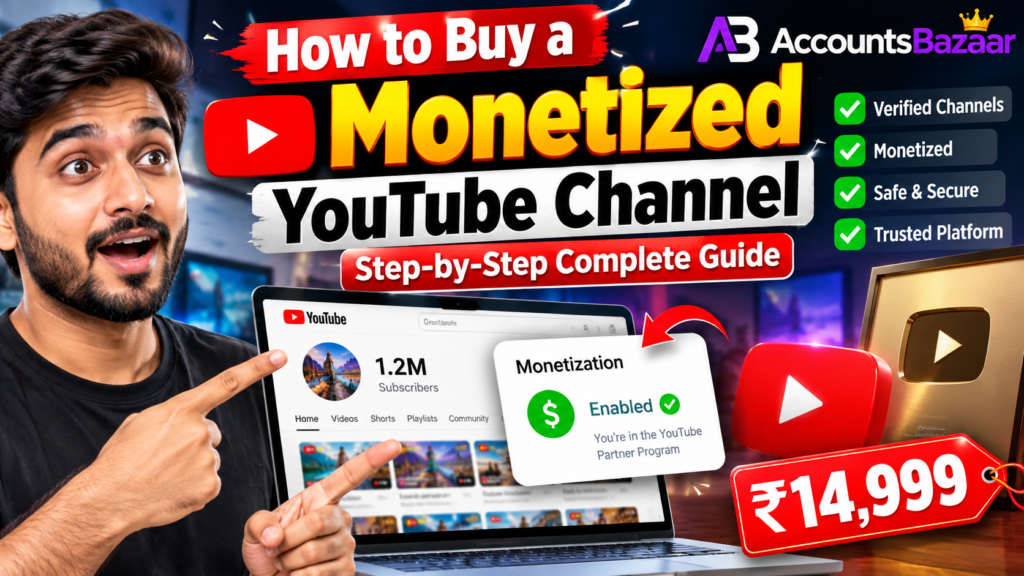
This step-by-step guide explains how to buy a monetized YouTube channel, where to find a channel for sale, what to check before paying, how to verify a seller’s claims, what to know about Brand Account ownership and AdSense, and how to contact AccountsBazaar for a listing enquiry.
Quick answer: shortlist the right channel, verify the current evidence, confirm ownership and transfer requirements, agree the transaction terms in writing, then complete the transfer using the platform’s supported ownership and permissions process.
How to Buy a Monetized YouTube Channel: Step-by-Step
- Choose your niche and audience. Decide what type of channel fits your planned content, target country, language and business model.
- Find a relevant listing. Compare current YouTube channels for sale by niche, subscribers, recent views, monetization status and price.
- Verify the channel. Request recent analytics evidence and confirm the public channel matches the listing.
- Verify ownership. Understand who controls the channel and what exact method will be used for the transfer.
- Review monetization and AdSense. Confirm that monetization is currently active and understand how the linked AdSense for YouTube account will be handled.
- Check risks. Review copyright issues, policy history, unusual traffic patterns, inactivity and major niche changes.
- Agree the deal. Confirm price, included assets, transfer process, payment timing and the procedure if the transfer cannot be completed.
- Complete the transfer carefully. Use the relevant Google/YouTube ownership and permissions features instead of casually exchanging passwords.
- Secure the channel after transfer. Review owners, managers, recovery settings and connected services.
Where to Buy a Monetized YouTube Channel?
Buyers commonly discover channels through marketplaces, brokers or direct seller enquiries. A marketplace can make it easier to compare multiple listings in one place, while a broker can help coordinate communication and transaction steps.
You can browse the AccountsBazaar Marketplace, view YouTube Channels for Sale, or explore Monetized YouTube Channel Listings.
AccountsBazaar: Use the marketplace to discover current listings, then verify the important details with the seller or Broker Desk before paying.
What Does “Monetized YouTube Channel” Mean?
A listing that says “monetized” should be treated as a claim that needs current verification. Monetization status can change, and a previously monetized channel is not necessarily monetized today.
YouTube documents the relationship between YouTube Partner Program monetization and the linked AdSense for YouTube account. It also provides an official process for changing the AdSense for YouTube account associated with a channel.
YouTube Help: Monetization is paused
YouTube Help: Change your linked AdSense for YouTube account
What to Check Before Buying a Monetized YouTube Channel
1. Verify Current Subscribers and Views
Ask for recent evidence. Old screenshots are not enough because subscriber counts, monthly views and audience activity can change.
Review recent uploads, recent views and the channel’s normal traffic pattern. A large subscriber count with weak recent activity may tell a very different story from a smaller channel with relevant and active viewers.
2. Check the Audience
Audience country, language and niche matter. A channel with an audience that matches your planned content may be easier to use than a channel whose audience came from an unrelated topic.
Look at:
- Top audience countries.
- Primary language.
- Recent viewer activity.
- Traffic sources.
- Top-performing videos.
3. Verify Monetization Status
Ask the seller to provide recent evidence showing the current monetization state. Do not confuse “eligible,” “previously monetized” and “currently monetized.” They are not the same thing.
4. Review Revenue Evidence
If a seller provides revenue information, confirm the period covered, currency and source. Revenue screenshots should be treated as historical evidence rather than a promise of future income.
Ask whether the displayed amount is estimated revenue, final revenue, gross revenue or another figure, and make sure the evidence corresponds to the channel being offered.
5. Check Channel History
Review the upload history and look for long periods of inactivity, major changes in niche, unusual traffic spikes and any material policy or copyright issues disclosed by the seller.
How to Verify YouTube Channel Ownership
Ownership is one of the most important parts of the transaction. Ask who currently controls the channel and what exact mechanism will be used to transfer or manage it.
YouTube explains that Brand Accounts can be managed by multiple Google Accounts and that owners and managers have different roles. Its current documentation also explains how ownership changes work and notes requirements that may apply before a new primary owner can be assigned.
YouTube Help: Change channel owners and managers with a Brand Account
Security note: Avoid an informal “send me your password” process. Use the platform’s supported ownership and permissions options wherever applicable, and never request or publish OTPs, recovery codes or private credentials in public messages.
Brand Account Transfer: What Buyers Should Know
YouTube provides official guidance for moving a channel between Brand Accounts. The process can have important consequences, so the buyer and seller should identify the exact receiving account and channel before making any transfer.
YouTube warns that an incorrect transfer can result in the wrong channel being deleted and that some information can be lost during certain Brand Account moves.
YouTube Help: Move your YouTube channel from one Brand Account to another
What Happens to AdSense After Buying a Monetized Channel?
Buying a YouTube channel does not automatically mean buying the seller’s personal AdSense account. YouTube provides a process for changing the AdSense for YouTube account linked to a channel.
Before completing the transaction, agree on how the payment setup will be handled and follow the current Google/YouTube instructions rather than relying on an informal handover.
Official YouTube guidance on changing the linked AdSense for YouTube account
How Much Does a Monetized YouTube Channel Cost?
There is no single price that applies to every monetized YouTube channel. Sellers may consider subscribers, recent views, niche, audience geography, monetization status, revenue history, content library, brand value and expected demand.
Compare several similar listings rather than using subscriber count alone.
| Factor | What to review |
|---|---|
| Subscribers | Current count and recent growth pattern |
| Recent views | Current performance over a meaningful period |
| Niche | Fit with your planned content |
| Audience | Country, language and viewer profile |
| Monetization | Current status and supporting evidence |
| Revenue | Recent evidence and period covered |
| Content library | Age, quality and relevance of existing videos |
| Risk factors | Copyright, ownership, policy and transfer issues |
Red Flags When Buying a Monetized YouTube Channel
- The seller refuses to provide current proof of important metrics.
- The subscriber count is high but recent activity is very low.
- Revenue evidence has no clear date or source.
- The ownership story is unclear or changes during the conversation.
- The seller wants immediate payment before basic verification.
- The proposed transfer depends on sharing passwords or one-time codes.
- The listing details do not match the live public channel.
- Important copyright or policy history is not disclosed.
How to Buy a Monetized YouTube Channel Through AccountsBazaar
AccountsBazaar helps buyers discover and enquire about digital asset listings. A typical buyer journey is:
- Open the AccountsBazaar Marketplace.
- Filter or search for YouTube channels.
- Open a listing and review the available information.
- Request current evidence for the details that matter to you.
- Confirm ownership and the intended transfer method.
- Agree the transaction terms before payment.
- Complete the transfer and verify access.
Useful pages:
Marketplace
YouTube Channels for Sale
Buy Monetized YouTube Channels
AccountsBazaar Buying Guide
How AccountsBazaar Works
Contact AccountsBazaar Before You Buy
For a listing enquiry, current availability, seller coordination or help understanding a transaction, use the official AccountsBazaar contact options.
AccountsBazaar Buyer Support
Email: accbazaarchannel@gmail.com
WhatsApp Broker Desk: +91 73841 77606
Questions to Ask the Seller
- What is the current subscriber count?
- What are the recent monthly views?
- Is monetization active right now?
- Can you provide current analytics evidence?
- What countries make up the main audience?
- What is the channel’s niche and language?
- Are there any copyright claims, strikes or restrictions?
- How will ownership or management be transferred?
- What exactly is included in the sale?
- What are the payment and transaction terms?
What to Do Immediately After the Transfer
Once the channel is transferred, verify the new ownership or management role, review permissions, update appropriate recovery and security settings, and remove unnecessary access.
YouTube recommends using roles and permissions rather than sharing passwords. Review the current official YouTube guidance after the transaction and keep your account security information private.
Monetized vs Non-Monetized YouTube Channel
A monetized channel and a non-monetized channel solve different problems. A monetized listing may already have an operating monetization setup, while a non-monetized channel may require more work before it can generate advertising revenue.
Do not judge the asset only by the word “monetized.” Compare the entire channel: audience, niche, recent activity, monetization evidence, content history, price and transfer risk.
Final Checklist Before You Pay
- ☐ Public channel URL matches the listing.
- ☐ Current subscriber count has been checked.
- ☐ Recent views have been checked.
- ☐ Audience geography and niche have been reviewed.
- ☐ Current monetization status has been verified.
- ☐ Revenue evidence has a clear date and source.
- ☐ Ownership and transfer method are clear.
- ☐ Copyright and policy history have been discussed.
- ☐ Payment terms are written down.
- ☐ No unnecessary password or OTP sharing is required.
Frequently Asked Questions
Can I buy a monetized YouTube channel?
Channels are bought and sold in the digital asset market, but buyers should verify the channel’s ownership, current monetization status and transfer method before paying.
Is a monetized channel guaranteed to earn money?
No. Current monetization does not guarantee future revenue. Future earnings depend on content performance, audience response, platform policies and other factors.
Should I buy based only on subscribers?
No. Subscribers are only one metric. Recent views, audience relevance, monetization evidence, revenue history and channel risks should also be reviewed.
How do I contact AccountsBazaar?
Email accbazaarchannel@gmail.com or use the AccountsBazaar WhatsApp Broker Desk.
Conclusion
Learning how to buy a monetized YouTube channel starts with a simple principle: verify before you pay. Use a marketplace to discover listings, but make your final checks using current evidence. Verify the audience, monetization status, revenue claims, ownership and transfer method, then agree the transaction terms before sending payment.
For current listings, visit the AccountsBazaar Marketplace. For buyer questions, use accbazaarchannel@gmail.com or the AccountsBazaar WhatsApp Broker Desk.
Important: YouTube and Google policies can change. For ownership, Brand Account and AdSense procedures, always verify the latest instructions in the official YouTube Help documentation before completing a transfer.