Buying a YouTube channel is not simply a matter of looking at subscriber count and sending money. A serious buyer needs to check ownership, channel history, audience quality, monetization evidence, content niche, traffic sources, revenue claims, transfer method and the condition of the account before completing a transaction. This guide explains how to buy a YouTube channel, where to look for monetized channels, what to verify before paying, how a transfer can be handled more safely, and what to do after the channel is in your control.
AccountsBazaar Blog
How to buy a YouTube channel | Where to buy a monetized channel (FULL GUIDE)
YOUTUBE MARKETPLACE
YouTube Channels for Sale
Explore currently published YouTube channels. Compare the available details, then open a listing to learn more.
 PINNED
AST 099
MONETIZEDMonetized
RAJ BHAI 100K 99 – YouTube Channel for Sale
YouTubeCategory: Gaming
₹ 24,000
 PINNED
YTS 001
MONETIZEDMonetized
Ground Reality – YouTube Channel for Sale
YouTubeCategory: News & Politics
₹ 28,000
 PINNED
 PINNED
AST 022
LISTINGNot Monetized
News With Laxman – YouTube Channel for Sale
YouTubeCategory: News & Politics
₹ 6,000
 PINNED

AST 025
LISTINGNot Monetized
Headline Forge – YouTube Channel for Sale
YouTubeCategory: News & Politics
₹ 1,299.35

AST 009
LISTINGNot Monetized
Fluxara News – YouTube Channel for Sale
YouTubeCategory: News & Politics
₹ 780

AST 071
LISTINGNot Monetized
LNYK MUSIC – YouTube Channel for Sale
YouTubeCategory: Entertainment
₹ 7,800
There is also an important distinction between a listing and an asset you have verified. A marketplace listing is a starting point for discovery. It is not a substitute for your own due diligence. Numbers can change, monetization can change, audience quality can vary, and a seller’s description should always be checked against current evidence.
Quick answer: buyers commonly discover channels through dedicated marketplaces, brokers or direct seller enquiries. The safest workflow is to shortlist a channel, verify the current data, confirm who actually controls the channel, agree the transfer and payment steps in writing, and only then complete the transaction.
How to buy a YouTube channel: the process at a glance
A practical buying process can be broken into a few clear stages. First, decide what type of channel you want. Second, search listings and create a shortlist. Third, verify the important information for every shortlisted channel. Fourth, agree the commercial terms and transfer plan. Fifth, complete the transfer carefully and verify that the buyer has the expected access.
- Define your target: niche, audience size, country, language, monetization status, approximate budget and business purpose.
- Find listings: browse a marketplace, speak with a broker or contact a seller directly.
- Verify the channel: review screenshots, analytics evidence, content history, ownership information and monetization claims.
- Check risks: look for copyright problems, policy issues, suspicious traffic patterns, inactive audiences and unclear ownership.
- Agree the deal: price, what is included, transfer method, timing, payment conditions and what happens if something cannot be transferred.
- Complete the transfer: use an appropriate ownership/management method rather than asking for a password to be handed over casually.
- Secure the asset: review access, permissions, recovery options and the linked payment setup immediately after the transfer.
Where to buy a monetized YouTube channel?
There are three common discovery routes: a dedicated marketplace, a broker or direct seller-to-buyer deals. Each route can work differently, so buyers should focus less on the sales pitch and more on how much verifiable information is available.
1. Buy through a marketplace
A marketplace can make discovery easier because multiple listings are presented in a comparable format. You may be able to filter by platform, niche, subscribers, price and other listing fields. The benefit is organisation: you can compare several channels instead of discussing every basic requirement from scratch.
AccountsBazaar provides a marketplace for digital accounts and channels, including YouTube listings. You can start with the AccountsBazaar Marketplace and browse YouTube Channels for Sale.
2. Work with a broker
A broker may help connect a buyer and seller, collect basic listing information and guide the parties through an enquiry process. A broker should not remove the need for your own verification. Ask for current evidence and confirm exactly what the broker is and is not responsible for.
3. Deal directly with the seller
Direct deals can sometimes look simple because there is no marketplace layer, but that also means the buyer needs to manage discovery, verification and transaction controls personally. Never assume that a direct seller is automatically the rightful owner. Verify control of the channel and the proposed transfer path before payment.
What does “monetized YouTube channel” actually mean?
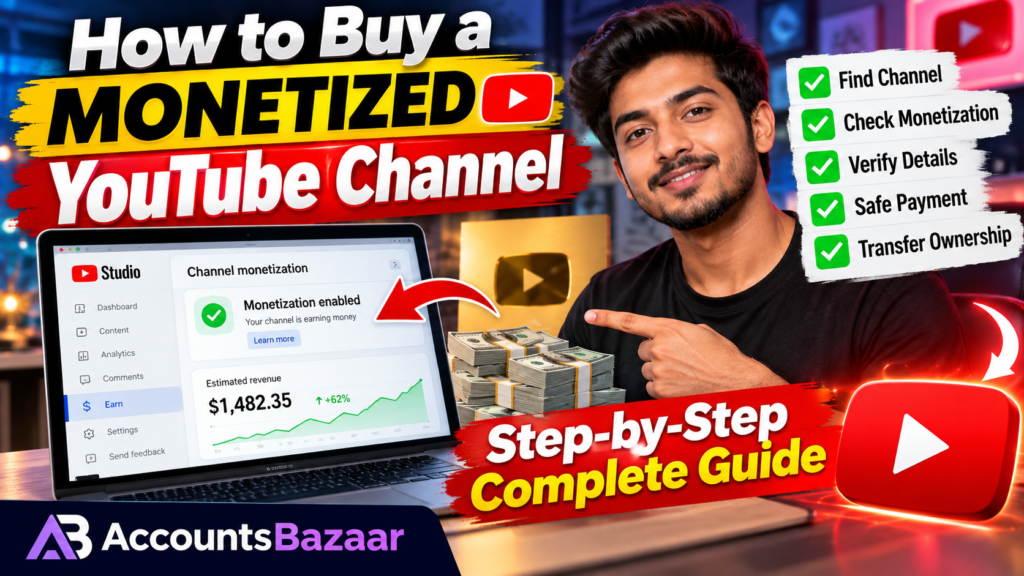
When a listing says a channel is monetized, treat that as a claim that needs verification. Monetization is not a permanent label that makes a channel automatically valuable forever. A channel’s ability to earn can depend on its current standing and its linked payment setup.
YouTube’s own help documentation explains that a channel in the YouTube Partner Program needs an active, approved and linked AdSense for YouTube account for monetization to operate normally. YouTube also provides a process for changing the AdSense for YouTube account associated with a channel, and the linked account can take time to be reflected in the systems. YouTube Help: Monetization is paused · YouTube Help: Change your linked AdSense for YouTube account.
That means a buyer should distinguish between:
- Monetized now: the seller provides current evidence that monetization is active.
- Previously monetized: the channel may have earned before, but its present status needs separate confirmation.
- Monetization claimed: the listing says monetized, but the buyer has not yet seen adequate evidence.
- Eligible or potentially eligible: the channel may meet some criteria, but this is not the same as active monetization.
Why subscriber count is not enough
A channel with 100,000 subscribers is not automatically a better purchase than a channel with 20,000 subscribers. Subscriber count can be only one part of the picture. Buyers should ask how recently the subscribers were active, where the audience is located, what type of videos attract views, how much traffic comes from search or recommendations, and whether the current audience fits the buyer’s intended content.
For example, suppose one channel has 80,000 subscribers but receives very little recent traffic, while another has 30,000 subscribers with strong recent views in the exact niche the buyer plans to publish. Subscriber totals alone do not tell the whole story.
The most important checks before paying
1. Verify who controls the channel
The first question should be: who currently controls the channel, and what exact mechanism will be used to transfer or hand over management?
YouTube explains that channels linked to a Brand Account can have multiple Google Accounts managing them. YouTube’s current guidance also warns users to protect sensitive sign-in information and recommends using account roles/permissions rather than sharing passwords. For Brand Accounts, primary ownership changes have their own requirements. YouTube Help: Change channel owners & managers with a Brand Account.
A buyer should therefore avoid a casual “send me the password” approach. Confirm the ownership structure and use the platform’s available access and ownership mechanisms where applicable.
2. Check channel history
Ask for evidence of the channel’s recent activity and any material issues. Useful checks include:
- recent uploads and their performance;
- long periods of inactivity;
- major changes in niche or language;
- copyright or policy issues disclosed by the seller;
- unusual spikes in views or subscribers;
- the relationship between recent views and recent uploads.
3. Verify subscribers and monthly views
Use current evidence rather than an old screenshot. If a listing claims 50,000 subscribers and 200,000 monthly views, ask when the evidence was captured. Metrics can change quickly, especially for channels whose traffic is concentrated in a few videos.
4. Verify revenue claims
Revenue screenshots should be treated as supporting evidence, not as a guarantee of future income. Review the period covered, the currency, the revenue source and whether the numbers correspond to the same channel being sold.
Also ask whether the amount shown is gross revenue, estimated revenue or a final payment amount. The distinction matters when evaluating an asset.
5. Check audience quality
Audience geography and topic can materially affect the practical value of a channel. A buyer planning to publish English-language software tutorials may prefer an audience that already watches that type of content. A channel with a large but unrelated audience can create a mismatch.
6. Review the content niche
Ask whether you intend to keep the same niche or change it. A dramatic niche change may make the historical subscriber count less useful because the existing audience may not respond to the new content.
What evidence should a seller provide?
A strong listing normally gives enough information for a buyer to decide whether the channel is worth investigating further. The seller can provide a structured summary covering:
- channel name and public URL;
- platform and niche;
- subscriber count;
- recent monthly views;
- monetization status;
- recent revenue evidence when relevant;
- audience country or language information where appropriate;
- asking price;
- any known restrictions, strikes or material history that a buyer should know about;
- the intended transfer process.
The goal is not to overload a listing with private information. The goal is to provide enough useful evidence for a qualified buyer to decide whether to continue the verification process.
How to inspect analytics before buying
When the seller provides analytics screenshots, look at the time period first. A screenshot from six months ago should not be treated as current performance. Ask for recent data and compare multiple indicators rather than focusing on one number.
Look for the relationship between:
- views and watch activity;
- recent uploads and the views those uploads receive;
- subscriber growth and the source of that growth;
- top videos and the percentage of total traffic they represent;
- audience geography and the content language;
- short-term spikes and long-term baseline performance.
A channel dependent on one viral video can behave very differently from a channel with a more distributed traffic pattern. That distinction matters when deciding what the asset may realistically be useful for.
How to transfer a YouTube channel more safely
YouTube provides Brand Account ownership and management functionality for channels that use that structure. Its current help documentation states that a Brand Account can be managed by more than one Google Account, and ownership roles can be changed under the Brand Account permissions system. YouTube also notes that a primary owner change can require the incoming owner to have been an owner for at least seven days. See the current YouTube ownership guidance.
YouTube also documents moving channels between Brand Accounts and warns that an incorrect transfer can result in the wrong channel being deleted. The official help page lists information that can be lost during certain Brand Account moves, so buyers and sellers should read the current instructions before performing a transfer. YouTube Help: Move your YouTube channel from one Brand Account to another.
The practical lesson is simple: do not improvise the transfer process. Before clicking anything, both parties should know which channel is being moved, which account is receiving it, which channel or Brand Account could be affected, and what information may change.
What about the AdSense account?
One of the most important points in a monetized-channel deal is that the channel and the seller’s personal payment identity are not automatically the same thing.
YouTube’s current documentation explains how an approved YPP channel can change the AdSense for YouTube account associated with the channel. Google also states that only one AdSense or AdSense for YouTube account is allowed per user/payee under its applicable terms. In other words, buyers should not assume that buying a channel means buying the seller’s personal AdSense account. YouTube Help: Change your linked AdSense for YouTube account.
For a transaction, agree in advance on what happens to the payment setup and use the current YouTube/Google instructions rather than relying on an informal handover process.
How much should you pay for a YouTube channel?
There is no single price formula that works for every channel. The asking price may be influenced by subscriber count, recent views, niche, audience geography, monetization, revenue history, content library, brand value and seller expectations.
Instead of using subscriber count alone, compare several listings with similar characteristics. A useful comparison table can include:
| Factor | What to compare |
|---|---|
| Subscribers | Current count and recent growth pattern |
| Recent views | 30-day or other current period where evidence is available |
| Niche | Relevance to your planned content |
| Audience | Country, language and viewer profile |
| Monetization | Current status and supporting evidence |
| Revenue | Recent supporting evidence and period covered |
| Content library | Number, age and relevance of existing videos |
| Risks | Copyright, policy, access and ownership issues |
Red flags that should make you slow down
Some warning signs do not prove that a seller is dishonest, but they are reasons to ask more questions and gather stronger evidence.
- The seller refuses to provide current proof of the metrics being advertised.
- The seller insists on immediate payment before basic verification.
- The ownership story is unclear or changes during the conversation.
- The channel has a large subscriber count but very weak recent activity.
- Revenue claims are shown without a clear time period or source.
- The seller asks for unusual payment methods without clear transaction terms.
- The proposed transfer requires sharing private passwords or recovery codes.
- The seller refuses to explain known strikes, copyright claims or restrictions.
- The listing information and the live public channel do not match.
How to buy a YouTube channel through AccountsBazaar
The AccountsBazaar workflow is designed to make discovery and enquiry easier. Start by opening the marketplace and filtering for the type of channel you want. Open the listing and review the public information. Then contact the seller or Broker Desk to request the evidence you need before making a transaction.
Useful starting points:
Browse the AccountsBazaar Marketplace
See YouTube Channels for Sale
Browse Monetized YouTube Channel Listings
Browse Gaming YouTube Channels
AccountsBazaar listings are intended to help buyers discover assets, but buyers should still conduct their own checks and confirm transaction terms before paying.
Questions to ask the seller before you buy
Instead of sending a vague “Is this available?” message, use a checklist. These questions help make the conversation more useful:
- What is the current subscriber count?
- What are the recent monthly views?
- Is monetization currently active?
- Can you provide recent analytics evidence?
- What countries make up most of the audience?
- What is the main niche and language of the channel?
- Are there any copyright claims, strikes, restrictions or important policy history?
- How many recent uploads does the channel have?
- What ownership/transfer method will be used?
- What exactly is included in the transaction?
- What payment terms have both sides agreed to?
- What happens if the transfer cannot be completed as expected?
What buyers should do immediately after receiving the channel
After a transfer, do not immediately assume everything is finished. Confirm that the expected ownership or management role is active, review the permissions, check the channel information and make sure your recovery and security details are under your control.
Do not keep unnecessary former managers or owners attached to the channel. Review access in the appropriate Google/YouTube settings. YouTube specifically recommends using role-based access rather than password sharing to reduce security and privacy risks. YouTube Help: channel owners and managers.
Common mistakes buyers make
Buying because of subscriber count
A large number can look impressive, but it does not tell you whether the audience is active or relevant.
Using old screenshots
Always ask when the screenshot was captured. Performance can change quickly.
Skipping ownership verification
A good-looking channel is not enough. Confirm who controls it and how the transfer will occur.
Assuming monetization equals guaranteed earnings
Monetization status does not guarantee a future revenue level. Your own content, audience response and future platform conditions all matter.
Changing the niche too aggressively
Even a legitimate channel transfer can face an audience mismatch if the new owner immediately switches to unrelated content.
Sharing credentials too early
Do not send passwords, one-time codes or recovery information in ordinary chat. Use the access mechanisms that the platform provides.
Should you buy a monetized channel or a non-monetized channel?
That depends on what you are trying to build. A monetized channel may reduce some of the work associated with establishing an existing operation, but the buyer should verify that monetization is actually active and understand the linked payment arrangement. A non-monetized channel may be cheaper, but it may require more work before it generates revenue.
The useful comparison is not simply “monetized versus not monetized.” Compare the entire asset: audience, niche, recent performance, content library, risk profile, price and the amount of work required after purchase.
Final YouTube channel buying checklist
Before sending payment, run through this checklist:
- ☐ Public channel URL matches the listing.
- ☐ Subscriber count was checked recently.
- ☐ Recent views were checked.
- ☐ Audience geography and niche were reviewed.
- ☐ Monetization status was verified with current evidence.
- ☐ Revenue claims were reviewed for the correct period.
- ☐ Ownership and transfer method are clear.
- ☐ Copyright/policy history has been discussed.
- ☐ Payment terms are written down.
- ☐ Both sides understand what is included in the deal.
- ☐ No unnecessary password or OTP sharing is required.
- ☐ The buyer knows what to verify immediately after the transfer.
Final thoughts: where to buy a monetized YouTube channel
If your goal is to buy a YouTube channel, start with discovery but finish with verification. A marketplace such as AccountsBazaar can help you find and compare listings, while a broker can help coordinate enquiries. But the quality of the transaction depends on the evidence you review and the process you follow.
The most useful mindset is simple: buy the asset you can verify, not the story you are told. Check the channel, check the audience, check the monetization evidence, check ownership, understand the transfer process and document the commercial terms before money changes hands.
YouTube’s own guidance should be treated as the final reference for current ownership, permissions, Brand Account transfers and AdSense procedures, because platform processes can change. Always read the current official instructions before completing a transfer. Channel owners and managers · Brand Account channel transfers · AdSense for YouTube account changes.
AccountsBazaar: Browse current listings at /marketplace/ or contact the official Broker Desk for listing enquiries.